




Recent Posts
Contact Us
Author : Spectra-1 | Follow us on LinkedIn:
25 Nov, 2026
Types of Access Control Authentication: Fingerprint, RFID, PIN, and Mobile Access
Table of Contents
A hospital can’t give visitors the same access as its medical staff. A factory has to guard its restricted production areas when shifts change. That’s where access control authentication earns its place.
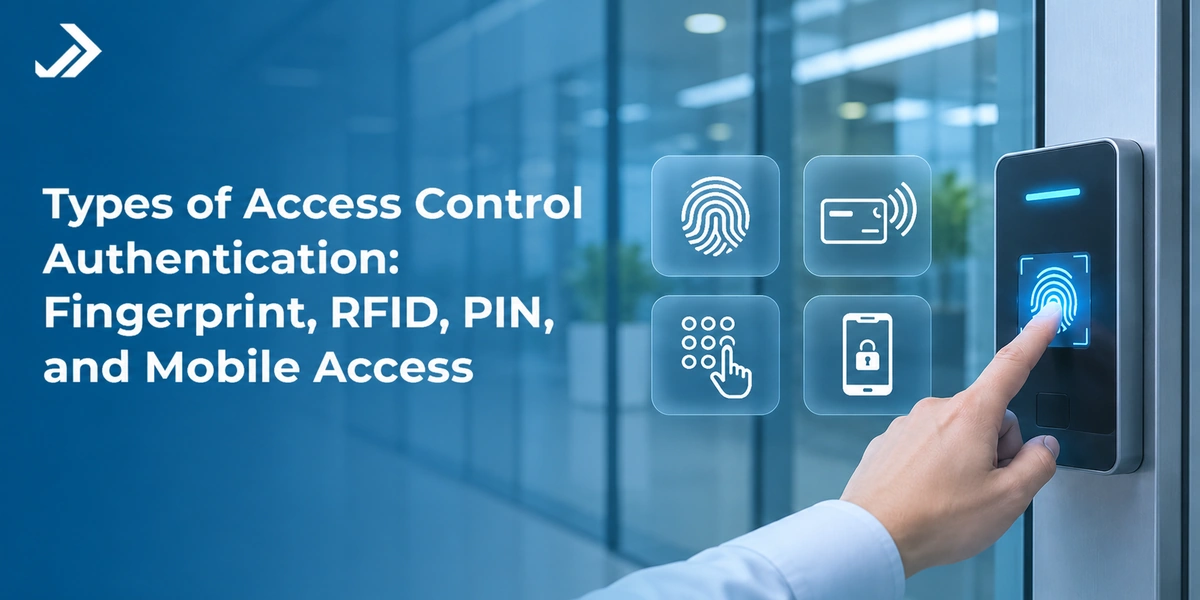
Fingerprint scanners, RFID cards, PIN codes and mobile credentials help physical access control systems verify presented credentials or authenticate users before granting access to a facility. The level of identity assurance depends on the authentication method and how it is configured.
Learn how they differ, and you can pick the right systems for your site, your people, your security rules and your budget. Do that before you buy anything.
What Is Access Control Authentication?
Authentication checks a credential or a claimed identity. Authorisation decides whether that verified person may go through a particular door at a particular time. They’re two separate decisions.
A physical access control system usually links readers, controllers, electronic locks, software and event records. Administrators can give access by employee, department, location or schedule. An employee may get into the office and still be kept out of the server room.
What Are the Four Types of Access Control Authentication?
Each method fixes a different operational problem. So weigh everyday ease of use alongside security before you choose devices for your workplace.
1. Fingerprint Authentication
Fingerprint systems compare a captured print with an enrolled biometric template. They reduce casual credential sharing in labs and restricted areas.
Advantages:
- No physical card to carry or lose.
- Authentication ties to the biometric trait of the person who enrolled.
- Can support extra authentication factors on compatible equipment.
Limitations: Dirty, wet, injured or worn fingers can hurt recognition. Biometric data also needs proper privacy safeguards and secure template handling. You need a backup procedure for when scanning fails. A password can be reset. Unlike passwords or access cards, biometric characteristics cannot simply be replaced if compromised. Organisations should therefore implement appropriate biometric data protection, secure template storage and alternative verification procedures.
2. RFID Card Authentication
Radio-frequency identification uses a compatible reader and a card or tag to present a credential. Employees can walk in fast without touching a scanner. That makes RFID practical for offices, schools and busy entrances.
Advantages:
- Quick, familiar way to present a credential.
- Cards can be issued and cancelled through admin processes.
- Works for organisations that manage many users and doors.
Limitations: Cards get lost, shared or stolen. Some older RFID formats can be cloned. Properly set up cryptographic smart cards offer better protection. Check the card technology before you choose.
3. PIN Authentication
A personal identification number lets users type a code on a keypad. For some uses, you don’t have to hand out cards. Administrators can change codes as needed.
Advantages:
- No separate physical credential needed.
- Simple enrollment and easy code replacement.
- Can pair with a card as another authentication factor.
Limitations: People can watch, guess, reuse or share codes. Avoid common PINs and team-wide shared codes. Individual credentials, retry limits, and quick cancellation improve accountability. High-security areas usually need stronger safeguards than a PIN alone.
4. Mobile Access Authentication
Mobile access uses supported smartphone credentials. They usually run over Bluetooth Low Energy or NFC, depending on the reader and the app. It can make issuing credentials simpler.
Advantages:
- Less reliance on physical access cards.
- Supports convenient digital credential management.
- Can make changes easier when people join or leave.
Limitations: Watch for compatibility, battery life, lost phones, device security and offline operation. Mobile credentials aren’t automatically safer than cards. How you set them up and protect the credential decides how secure they are.
How Do Fingerprint, RFID, PIN, and Mobile Access Compare?
No single method wins every category. Compare them against your real door traffic, your security needs, what employees need and what your admins can handle.
| Method | Practical strength | Main concern |
| Fingerprint | Links authentication to biometric characteristics | Recognition failures and privacy |
| RFID | Quick access at busy doors | Lost or cloned credentials |
| PIN | No card or phone required | Sharing and observation |
| Mobile | Digital credential convenience | Device compatibility and availability |
For sensitive rooms, combining independent factors can add protection. A card plus a PIN, for example, asks for something the user has and something they know. Whether you can do this depends on how your controller is set up.
Which Authentication Method Fits Your Industry?
Workplaces face different entry patterns. The best choice depends on the environment, how often users change and what the restricted areas need.
Corporate Offices and Banking
RFID or mobile credentials may keep daily movement smooth. Sensitive records, server rooms and financial operations can justify stronger authentication, restricted schedules and detailed access logs. Remove permissions quickly when someone’s responsibilities change.
Manufacturing and Pharmaceutical Facilities
Gloves, dust, hygiene routines and shift changes can affect how readers perform. Test fingerprint readers in real working conditions. Consider access zones, contractor permissions, and documented entry records for controlled production or research areas.
Hospitals, Education and Construction
Hospitals need staff to move around reliably while keeping clinical areas controlled. Schools have to distinguish employees from visitors. Construction sites see contractor lists change all the time. In all these settings, temporary credentials, timely cancellation and dependable emergency procedures matter.
What Should You Check Before Installing Access Control?
Authentication devices work best with sound policies and dependable hardware. Someone must also clearly own ongoing admin and maintenance.
- Access rules: Define who enters each area and during which hours.
- Credential lifecycle: Set up enrollment, replacement, cancellation and regular reviews.
- Integration: Check compatibility with your current controllers, attendance tools and visitor workflows.
- Reliability: Test for network outages, backup power and emergency exit needs.
- Reporting: Confirm you get useful event logs, administrator records and audit features.
Conclusion
Lost cards, contractor permissions that never expire and crowded entrances all expose weak spots in daily operations. The fix isn’t always another reader. It’s managing credentials in a coordinated way.
Spectra’s access control solutions combine biometric readers, RFID and smart card readers, controllers and web-based access management capabilities. Depending on the selected configuration, organisations can manage employee credentials, access permissions, schedules and entry records through a coordinated platform.
Our access control solutions support fingerprint, card, password, and Bluetooth credentials, along with access rules, centralised management, and audit trails.
Looking to secure your workplace with the right access control technology? Explore Spectra’s access control solutions and request a demo to understand which authentication methods best suit your facilities, workforce and security requirements.
Frequently Asked Questions
- What are the four main types of access control authentication?
The four main types are fingerprint authentication, RFID card authentication, PIN-based authentication and mobile access authentication. Each method verifies user credentials differently and offers varying levels of convenience, security and flexibility.
- Which access control authentication method is the most secure?
No single authentication method is universally the most secure. Security depends on the credential technology, implementation, device configuration and access policies. For sensitive areas, organisations can use multi-factor authentication, such as combining an RFID card with a PIN or another independent authentication factor.
- Can access control systems use multiple authentication methods?
Yes. Modern access control systems can support multiple authentication methods, including fingerprint, RFID cards, passwords and Bluetooth credentials. Organisations can select different authentication methods based on their security requirements and access permissions.
- Is mobile access control better than RFID card authentication?
Mobile access control offers the convenience of using smartphones instead of physical cards. RFID cards are often easier to issue to employees who do not use compatible smartphones. The right option depends on device compatibility, security requirements and workplace preferences.
- What should businesses consider before installing an access control system?
Businesses should evaluate security requirements, authentication methods, the number of entry points, user permissions, hardware compatibility, integration capabilities, emergency procedures and access reporting features before installing an access control system.


